Sonic Rumble Codes (February 2026): All Working Gift Codes, How to Redeem, and How to Never Miss New Drops
If you’re playing Sonic Rumble, you already know the game has two moods:
“I’m just here to vibe and bonk people off the map,” and
“I need drip and stickers right now, immediately.”
That’s where sonic rumble codes come in. They’re basically little “thank you” buttons the devs press during launches, events, collabs, or community pushes—usually giving Red Star Rings (your cosmetic spending power) or limited goodies like stickers. And since a lot of these codes are time-sensitive, you either redeem fast or you’re watching other players flex stuff you can’t get anymore.
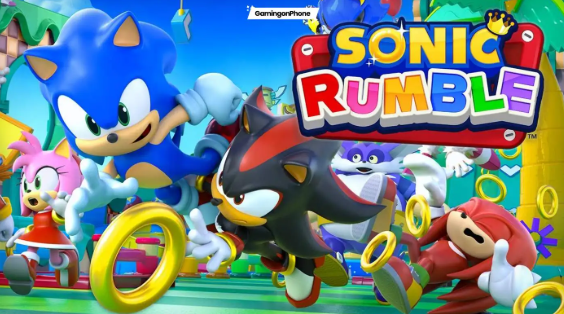
I. Sonic Rumble Codes Overview (What They Are and Why You Care)
A. Free Red Star Rings and cosmetics via promo codes
Most codes in Sonic Rumble fall into one of two buckets:
Currency codes → usually Red Star Rings (the stuff you spend on shop cosmetics or limited-time items).
Cosmetic codes → mostly stickers (and sometimes event-themed items).
Right now, the big value isn’t “power” (this isn’t a pay-to-win shortcut), it’s style + collection. And Sonic games are basically built on the idea that looking cool is half the battle.
B. Launch rewards and limited-time events
Codes tend to appear when:
a season kicks off,
a crossover event launches,
the devs do a community campaign,
the game hits a milestone,
or the servers explode and they apologize with freebies.
A good example: during the Sonic Racing: CrossWorlds themed missions, there’s mention of a Dodon Pa “Smug” sticker gift code being shared via official channels.
C. Value for battle royale customization
If you’re free-to-play (or “I’ll spend later, maybe”), codes are your best way to:
grab a little currency boost,
pick up limited cosmetics,
and keep your account feeling “alive” even when you’re not buying bundles.
II. All Active Sonic Rumble Codes (February 2026)
Here are the codes that are currently being listed as working in February 2026 by multiple non–Mainland China sources:
Active Codes
4EVERTHX — 50 Red Star Rings
LAUNCHREWARDS — Movie Shadow Sticker + launch themed reward (varies by listing/event context)
SRCWXDODONPA — Smug (Dodon Pa) Sticker
Quick player tip:
Redeem all three even if you don’t care about stickers. Today’s “whatever” sticker becomes tomorrow’s “I wish I had that” flex.
III. Expired Codes Reference (What Usually Happens)
A. Beta test launch codes
Most games run beta codes like candy and then wipe them later. Sonic Rumble follows that general vibe: beta codes tend to be short-lived, often tied to testing windows.
B. January 2026 event codes
Event codes can burn fast—sometimes days, sometimes a week or two. The safest assumption is always: redeem immediately.
C. Server maintenance rewards
If servers go down hard, codes (or mailbox gifts) often follow. It’s the universal gaming apology language: “Here, have some stuff.”
Reality check: Some sites may say “no expired codes yet,” but that can simply mean “no widely tracked expired list.” Code history tracking is often messy early in a game’s life.
IV. In-Game Redemption Guide (PC/Steam)
A lot of people get stuck here because menus vary slightly by platform/UI updates, but the general flow is consistent.
A. Menu button → Settings → Gift Code
On PC/Steam, you’re typically looking for:
Menu (hamburger icon / main menu button)
Settings
Gift Code (or similarly named “Redeem Code” entry)
B. Enter code → Confirm → Check Mailbox
Type/paste the code
Confirm/redeem
Then check your Mailbox (some rewards show immediately; some go to mail)
C. Hamburger menu navigation steps
If you’re lost: stop looking for a giant “REDEEM” button on the main screen. These games love burying it one layer deeper in Settings.
V. Mobile Website Redemption Method
Some games let you redeem in-game on mobile, some push you to a web portal, and some do both depending on region/account setup.
A. Official Sonic Rumble redeem page link
The most reliable approach is always: use the official redemption path the game itself points you to, because third-party “redeem sites” are where scams breed.
B. Log in with game account → Input code
You’ll typically:
log in with the account tied to your Sonic Rumble profile,
paste the code,
confirm.
C. Pop-up confirmation and mail claim
After confirmation, go back in-game and check mail. If it doesn’t appear:
restart the client,
then check again.
VI. BlueStacks PC Emulator Redemption
If you’re running Sonic Rumble through an emulator like BlueStacks, you basically get both worlds:
A. Browser method inside emulator
You can open the official redeem portal in the emulator browser, log in, and redeem.
B. Menu → Settings → Gift Code option
Or just use the in-game Gift Code menu like PC/Steam.
C. Mailbox reward collection process
Same rule: redeem → mailbox → claim.
VII. Why Codes Don’t Work (Fixes That Actually Help)
Let’s go through the usual pain points, player-to-player style.
A. Case-sensitive entry errors
Some codes don’t care. Some do.
Your best move: copy-paste exactly as shown.
B. Expired or one-time claim limits
If you already redeemed it, you’ll get an “already redeemed” style message.
If it’s expired, it’ll say invalid/expired depending on how the system is built.
C. Server congestion delays
Right after an event code drops, the redemption service can lag.
Try:
closing and reopening,
waiting 5–10 minutes,
then redeeming again.
D. Region/platform restrictions
This is less common for basic ring/sticker codes, but it can happen. If the code was announced for a specific event or region, redemption may fail outside it.
VIII. Rewards Breakdown and Value (What You’re Really Getting)
A. Red Star Rings for shop skins
4EVERTHX giving 50 rings isn’t “buy the whole store” money, but it’s still meaningful because:
it stacks with future codes,
it can push you over a purchase threshold,
and it’s free.
B. Exclusive stickers (Shadow, Dodon Pa)
Cosmetics are where time-limited stuff matters most.
LAUNCHREWARDS is tied to launch-themed goodies (including a Shadow sticker).
SRCWXDODONPA is tied to the Dodon Pa “Smug” sticker gift.
C. XP boosts and event items
Some events attach extra items beyond “the sticker.” If your mail reward looks bigger than expected, that’s normal—events sometimes bundle.
IX. Finding New Sonic Rumble Codes (Where They Actually Show Up)
A. SEGA official site/news updates
If SEGA posts it, it’s real. That’s the gold standard.
B. Twitter/X + Discord announcements
Codes often appear first on official social channels, especially during seasonal/event pushes. The Dodon Pa sticker code being provided via official social media is specifically referenced in coverage of the event.
C. Steam community guides
Steam guides can be fast, but treat them like “rumor + early aggregation.” Verify if you can.
D. YouTube code drop videos
Some creators compile codes quickly. Just be careful: a lot of videos recycle expired codes for views.
X. Platform-Specific Differences (Quick Table)
Here’s the practical version:
| Platform | Primary Redemption | Backup Option |
|---|---|---|
| PC/Steam | In-game Settings → Gift Code | Website redemption |
| Mobile | Website redemption (common) | In-game (if enabled) |
| BlueStacks/Emulator | In-game or website | Whichever is smoother |
| Steam Deck | Same as Steam/PC | Website redemption |
If one method errors out, don’t panic—try the other.
XI. Beginner Starter Code Strategy (Do This on Day 1)
A. Redeem first, ask questions later
If you’re new, your priorities should be:
redeem all active codes immediately,
claim from mailbox,
only then start shopping.
B. F2P ring farming with codes
Your long game as F2P is:
codes + daily logins + event missions
→ slow but steady cosmetic stash.
C. Customization unlock priority
If you’re choosing what to buy first with rings:
grab limited-time cosmetics first (they may not return soon),
then fill in your “always available” stuff later.
XII. Code Release Patterns (What to Expect)
A. Global launch events
Launch windows usually have the highest code density.
B. Seasonal/promotional drops
Expect codes around:
new seasons,
collabs,
holiday events,
major updates.
C. Update patch rewards
Sometimes it’s not a “code,” it’s a mailbox gift. Either way, check after patches.
XIII. Troubleshooting Common Errors (Fast Checklist)
A. “Invalid code”
Check spelling
Remove spaces
Try copy-paste
Confirm it’s still active
B. “Already redeemed”
You can’t stack the same code on one account. That’s normal.
C. “Server busy”
Wait and retry. Event drops can spike traffic.
XIV. Official Sources for Updates (The Safe List)
If you only follow one thing, make it official channels. If you want a second safety net, use reputable gaming guide sites that update frequently and correct quickly when codes expire.
XV. Maximizing Free Rewards (The “I’m Not Missing Anything” Routine)
Here’s what I do in every code-heavy game:
Check once when you log in (takes 20 seconds).
Redeem immediately (codes are not savings accounts).
Claim mailbox rewards right away (some games expire mail).
Screenshot your redeemed list if you hate “already redeemed” errors later.
XVI. FAQ
A. Do codes expire?
Yes—usually. Some expire fast (days), some last weeks. Treat all codes as temporary unless the devs explicitly say otherwise.
B. Are they region-locked?
Sometimes. Many are global, but event/partner codes can be restricted. When a code is tied to a specific campaign, it might not work everywhere.
C. Account linking required for web?
Usually yes. Website redemption typically needs you to log in with the account tied to your in-game profile.
D. Free and safe?
Only if you redeem through official routes and trusted sources. Avoid “free code generator” sites—those are almost always scams.
XVII. Related Sonic Games Comparison (Quick Context)
Other SEGA mobile titles and Sonic-adjacent games tend to use similar reward patterns:
launch burst,
event codes,
social campaigns,
then a slower “occasional code” cadence.
So if you see fewer codes later, that’s not the game dying—that’s just the post-launch rhythm.
XVIII. Staying Updated Year-Round (No Stress Version)
Bookmark one reliable code tracker page (and the official site/socials).
Turn on notifications for the official account during big events.
Check after major patches or season launches.
Redeem immediately when you see a new code.
Conclusion
Right now, the sonic rumble codes you should care about in February 2026 are:
4EVERTHX (50 Red Star Rings)
LAUNCHREWARDS (launch-themed goodies including a Shadow sticker)
SRCWXDODONPA (Smug Dodon Pa Sticker)
Redeem them fast, claim your mailbox, and keep an eye on official social channels—because codes tied to events (like that Dodon Pa community gift) are the ones that vanish before you even finish your next match.
If you want, I can also format the active codes into a “copy-paste block” checklist you can keep pinned (and I’ll include a quick “redeemed?” tracker layout).